Home / Play
Right in your browser
Play
Next Space is up and running again – right in your browser, with nothing to install, using the game's original data. In Slovak, Czech and English (English subtitles), with 13 chapters and 53 rooms.
Next Space
Start the game
The game runs right in this browser – no installation needed.
The English version of the game has English subtitles and on-screen text, with the original Slovak voices. Every “Play” link on this site opens the game in English.
Next Space was written for DOS in 1997 and will not normally run on today’s computers. That is why we rewrote its engine – the program that runs the game – in JavaScript. Nothing in the original files has been changed: the texts, graphics, voices, music and game logic all come from the original CD data. Only the program that reads them is new.
What that means for the player:
- The game runs in your browser. No installation, no DOSBox.
- Slovak, Czech and English. The Slovak voices and texts are the default. You can switch the language in the INFO window. Slovak and Czech use their own original data: the Slovak CD from June 1997 and the Czech one from September 1997. English gives you English subtitles and texts with the Slovak voices (or, if you prefer, the Czech ones). Links from the English pages open the game in English.
- Faithful to the original. The game runs at the same speed (20 frames per second), with the same rules and with all the puzzles, conversations and endings, including the seven ways to die. The bug fixes the authors made between June and September 1997 are switched on in the Slovak version.
- Chapter select. You can start the game from any of the 13 chapters of the story or from selected points in it (61 starting positions in all). This is handy if you just want to see a particular scene, such as the barman in uniform or the ending.
- Saving. You can save your game to a file and load it later.
How to play
The controls are the original ones, just simpler than they used to be.
| What | How |
|---|---|
| Perform the selected action | left mouse button |
| Change the action (Walk to, Look at, Pick up, Use, Talk to) | right button, Tab or mouse wheel (on a laptop: two-finger click) |
| Skip the spoken line and continue | Space or Enter |
| Quickly go through an exit, or use an inventory item on itself | double-click |
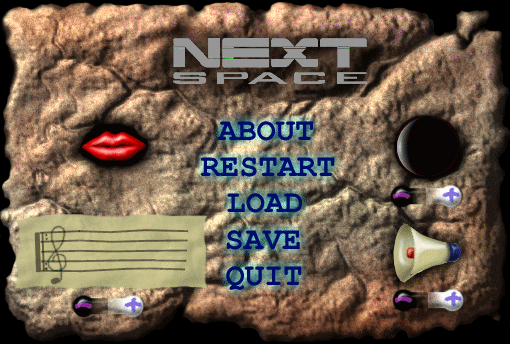
| Game menu | Esc |
| Help and settings (language, voice and subtitles) | the INFO button below the game |
The current action is shown in the bar at the bottom of the game, for example “Use toilet paper on cleaning powder”. Your items are in the inventory bar at the very bottom.
One tip
Next Space should not be rushed. Look at everything, read what Frank says and talk to everyone. The game’s humour is in the little lines.